
Printing high-quality materials requires images with sufficient resolution to ensure clarity and sharpness. However, many people unknowingly use low-resolution images, leading to blurry or pixelated prints. Whether it’s a banner, flyer, business card, or promotional material, using images with inadequate resolution can ruin the professional look of your prints.
Understanding why low-resolution images occur and how to fix them is essential for achieving the best printing results. In this guide, we will explore the causes of low-resolution images, their impact on printed materials, and effective ways to enhance resolution for printing.
Causes of Low-Resolution Images
Low-resolution images typically result from various factors that reduce the detail and clarity of an image. Here are some common causes:
1. Using Web Images Instead of Print-Ready Files
Most images found on websites are optimized for digital screens, not printing. These images are usually set to 72 DPI (dots per inch), which is sufficient for online display but not for printing. Professional printing requires images with at least 300 DPI to ensure sharpness and detail.
2. Resizing Small Images Without Maintaining Quality
One of the biggest mistakes people make is enlarging a small image to fit a larger print layout. This results in pixelation because the image lacks enough pixels to maintain quality. When an image is stretched beyond its original resolution, it loses sharpness and appears blurry.
3. Saving in Compressed Formats
When images are saved in compressed formats like JPEG, they lose quality due to lossy compression. Each time a JPEG is saved and compressed, some data is lost, which reduces the overall image quality. Formats like PNG, TIFF, and PDF are better suited for preserving image clarity.
4. Scanning Low-Quality Originals
If a printed image is scanned at a low resolution, the digital copy may not have enough detail for printing. Scanning at a high DPI setting (300-600 DPI) is necessary to maintain quality.
5. Taking Screenshots Instead of Using the Original Image
Screenshots are usually low-resolution because they capture only what is displayed on the screen, typically at 72 DPI. Using the original high-resolution file is always preferable.
Problems Caused by Low-Resolution Images in Printing
Low-resolution images can negatively impact the final print quality. Here’s how they can affect your printed materials:
1. Blurry and Pixelated Prints
Low-resolution images lack detail, making them appear blurry when printed. Pixelation occurs when individual pixels become visible, creating a blocky effect that ruins the visual appeal of the print.
2. Inaccurate Colours
Most digital images are in RGB (Red, Green, Blue) colour mode, which is used for screens. Printers, however, use CMYK (Cyan, Magenta, Yellow, Black) ink. If a low-resolution RGB image is printed without conversion, the colours may appear dull or inaccurate.
3. Loss of Detail in Enlargements
When a small, low-resolution image is enlarged for printing, fine details become lost. This can make text, logos, and intricate designs look unprofessional and unclear.
4. Poor Brand Representation
For businesses, low-resolution images on marketing materials can hurt brand perception. A blurry logo or unclear product image can make a company appear unprofessional.
How to Fix Low-Resolution Images for Printing
If you have a low-resolution image that you need to print, there are several ways to improve its quality. Here are some effective solutions:
1. Choose High-Quality Images from the Start
To avoid resolution issues, it’s always best to use high-quality images. Here’s how:
✔ Use a Professional Camera – A 12-megapixel or higher camera captures sharp and detailed images.
✔ Download High-Resolution Stock Photos – Websites like Unsplash, Pexels, and Shutterstock offer high-resolution images that are suitable for printing.
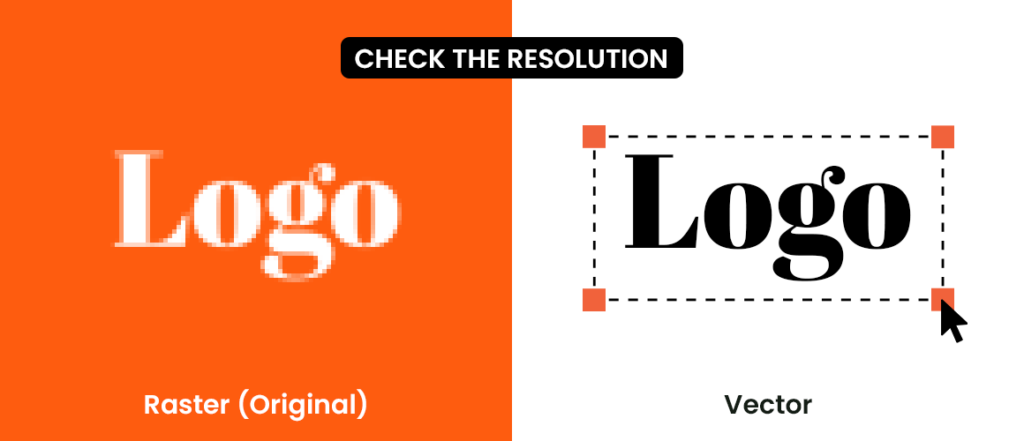
✔ Request Vector Files for Logos – Instead of using a raster image (JPEG or PNG), ask for a vector format like AI, EPS, or SVG. Vector images can be scaled to any size without losing quality.
2. Enhance Image Resolution with Editing Tools
If a high-resolution version of an image isn’t available, you can improve its resolution using image editing software:
✔ Adobe Photoshop – Go to Image > Image Size, then increase the resolution to 300 DPI while selecting “Preserve Details” to minimize quality loss.
✔ AI-Based Image Upscalers – Tools like Let’s Enhance, Upscale.media, and Waifu2x use artificial intelligence to upscale images while preserving details.
✔ Use Built-In Software – Windows Photos and Mac Preview have basic resizing options that may improve resolution slightly.
3. Convert Raster to Vector for Graphics
If your image is a logo, text-based design, or illustration, converting it to a vector format is the best solution. Unlike raster images, vector graphics can be resized infinitely without losing clarity.
✔ Adobe Illustrator’s Image Trace Tool – Converts raster images to vector format.
✔ Free Online Tools – Websites like Vectorizer.io and Inkscape can also convert images to vector format.
✔ Hire a Professional – If unsure, a professional graphic designer can manually recreate the image as a vector file.
4. Use the Right File Formats for Print
Different file formats impact print quality. Here are the best options:
✔ PDF (Portable Document Format) – Ideal for all types of printed materials.
✔ TIFF (Tagged Image File Format) – Retains high image quality without compression.
✔ PNG (Portable Network Graphics) – Useful for transparent images but should be high resolution.
✔ AI/EPS (Adobe Illustrator/Encapsulated PostScript) – Best for logos and vector designs.
❌ Avoid heavily compressed JPEGs, as they lose quality over time.
5. Set Up Files Correctly for Print
✔ Use at least 300 DPI – Ensures sharp and detailed prints.
✔ Convert RGB to CMYK – Prevents colour inaccuracies.
✔ Check Image Dimensions – Ensure the file matches the required print size.
✔ Include a Bleed Area – Prevents cropping issues.
Common Mistakes to Avoid
Even when using high-resolution images, certain mistakes can still affect print quality:
❌ Using Web Images for Print – Always check the resolution before printing.
❌ Ignoring Bleed and Margins – Important parts of the design can get cut off if proper margins are not set.
❌ Saving in the Wrong Colour Mode – Convert images to CMYK for print accuracy.
❌ Over-Compressing the Image – High compression reduces quality, so avoid over-compressing JPEGs.
Final Thoughts
Low-resolution images can ruin the quality of printed materials, making them look unprofessional and unclear. By understanding the causes of low resolution, checking image quality before printing, and using the right techniques to enhance resolution, you can ensure high-quality prints every time.
If you’re unsure whether your image is print-ready, using tools like Photoshop, AI upscalers, or converting to vector format can help. For professional results, always use high-resolution images, save them in the right format, and follow best practices for print production.
With these tips, you can confidently print sharp, high-quality images that look professional and visually appealing.
Written by BannerBuzz Editorial Team.